


Content refreshing means updating existing articles so they are current, accurate, and useful to readers. It’s more than changing a few words. It includes fixing outdated info, adding new insights, improving readability, and following current SEO best practices. The goal is to boost rankings, raise engagement, and keep your content useful in a fast-changing digital space.
Think of it as giving older content new life, turning it into an asset that keeps attracting and converting. For businesses that want a stronger online presence, especially those working with an international SEO agency, a steady content refresh plan is a must for long-term growth.
Search algorithms and user expectations change all the time, and letting content sit still leaves easy gains on the table. Old articles can quickly turn from assets into risks, losing visibility and failing to help modern searchers.
Active updates signal to search engines that your site is current and reliable, which can lead to better visibility and a stronger edge over competitors.
What Qualifies as a Content Refresh?
A content refresh is not one single type of update. It can be small edits or a full rewrite. At its core, it’s any action that raises an existing page’s quality, relevance, and performance.
It may involve replacing old stats with new data, adding sections to match changing user intent, or restructuring an article for easier reading and better UX. The aim is to make every page work hard for both your audience and your SEO goals.
For example, a refresh might update terminology, like changing “ghostbanning” to “shadowbanning” in “What is A Shadow Ban? (and How to Fix It)” to match current usage. It might also update metadata to better match what users want, as seen in “How to Get on TikTok’s For You Page (FYP).”
The key is making real, helpful changes that add value and improve search performance.
Why Do Search Engines Value Updated Content?
Google and other search engines give weight to “fresh” content because their aim is to show useful, timely results. Back in 2011, Google announced the “freshness update,” a big change to highlight recent results. That focus has grown over time, and agencies like NON.agency consistently emphasize how important ongoing content updates are for visibility.
Many topics change fast. Think tech or current events. A social media guide from 2016 wouldn’t cover TikTok, even though it’s central today. Search engines notice this and reward sites that keep content up to date with new info, trends, and methods. Keeping content current helps sites stay useful and trusted.
How Does Freshness Influence User Trust and Relevance?
Fresh content is important for building and keeping user trust. People look for recent information and often filter by date. Old stats, broken links, or references to tools that no longer matter can quickly damage trust.
On the other hand, clearly updated content with current data tells users the page is reliable. This can lift click-through rates (CTR) because users like results that look current and helpful. By keeping your articles updated, you meet user needs and expectations and build loyalty. You also show search engines that your site provides value.
What Are the Benefits of Refreshing Existing Articles?
Updating old articles brings many benefits beyond a quick facelift. It’s a smart investment that can boost SEO results, engagement, and overall site health. Instead of only producing new articles, improving what you already have can be faster and more effective.
Each updated piece makes your site stronger, more relevant, and more trusted. This overall lift helps both search engines and readers, creating a cycle where visibility, engagement, and trust grow over time. It’s about working smarter to reach your content goals.
Regains Lost Organic Traffic
One fast benefit of a refresh is winning back organic traffic. Even strong pages can fade over time as info becomes old or competition grows. This “content decay” is normal, but you can reverse it.
Find pages that are slipping and add fresh data, new insights, and better keywords. One article gained 96% more clicks period-over-period after a refresh, while another saw a 38% lift. This shows how updates can bring older content back to life and win back search visibility.
Improves Click-Through Rates and Engagement
People are drawn to content that looks recent and relevant. When search results show fresh dates, they often get more clicks. Updated articles also tend to keep visitors on the page longer. Clear structure and current info encourage users to read more, click internal links, and convert.
Better engagement tells search engines your content helps users, which can lead to higher rankings.
Aligns Content With Changing Search Intent
Search intent-the reason behind a query-can shift over time as trends, tools, and events change. An article that matched intent a few years ago might miss the mark today. For example, interest in “remote work” jumped in 2020 and later leveled off as it became normal. If your content doesn’t adapt, it can lose relevance.
Refreshing lets you realign content with what users want now. You might expand certain parts, change the focus, or adjust the format to fit current needs. By making sure your article answers today’s questions, you keep it relevant to users and search engines.
Addresses Outdated Information and Broken Links
Nothing says “old” like broken links or ten-year-old stats. Links break as sites change, and data ages out. These issues hurt user experience and can harm SEO. Search engines see broken links and stale info as a sign of poor upkeep.
A refresh is a good time to fix this. Update stats, swap dead links for live, trusted sources, and check that internal links still lead to the right pages. This careful cleanup shows commitment to accuracy and quality, which helps both readers and rankings.
Builds Authority and E-E-A-T Signals
Google pays attention to E-E-A-T (Experience, Expertise, Authoritativeness, Trustworthiness). Updating content can raise these signals. Add recent industry insights, cite new studies, include expert input, and show your own experience.
For example, a digital marketing agency can update posts with real case studies and client data (as Neil Patel Digital often does). This builds trust with readers and tells Google your content comes from a reliable source, which can lift rankings.
Provides Cost-Effective SEO Improvements
New content matters, but it takes time and money. Updating existing pages is often a cheaper, faster way to get strong SEO results. You’re building on a page that may already have links and some authority.
Improving what you have usually takes less effort than creating and promoting a brand-new piece. By choosing the right pages to update, you can gain better rankings, more traffic, and higher engagement without the higher costs of constant new content.
When Should You Refresh Your Content?
Knowing when to update matters as much as knowing how. Treat it as a planned activity based on signals and a steady review rhythm. Wait too long and performance can drop. Update too often without real changes and you waste effort.
Use data, market shifts, and your goals to set timing. Build a routine so your content stays an asset, not a forgotten page.
What Are the Signs an Article Needs Updating?
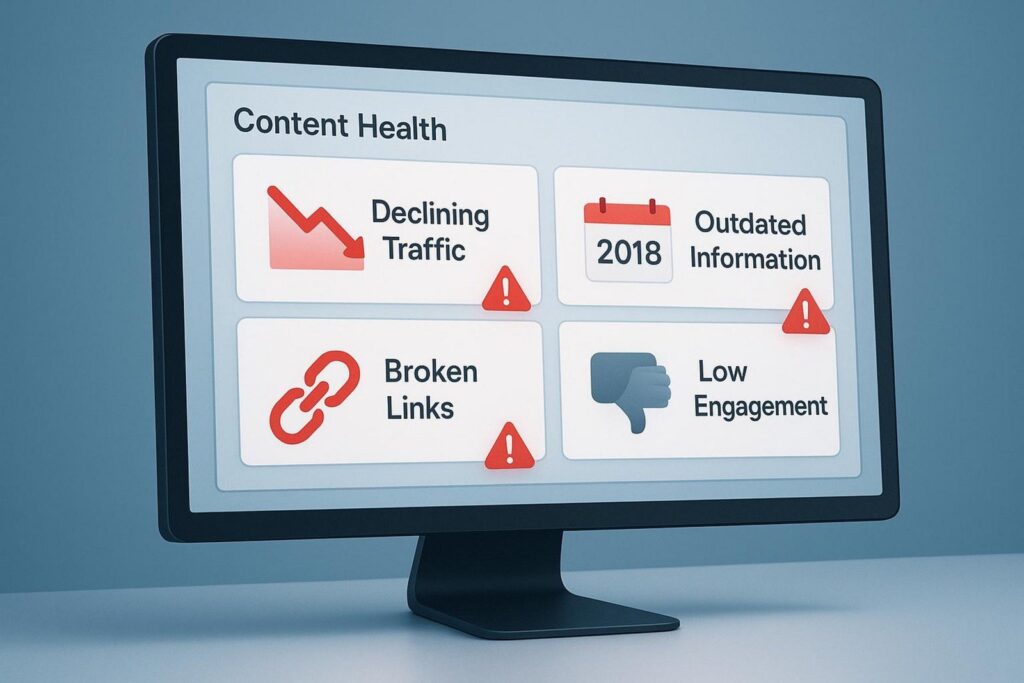
Clear signs an article is due for a refresh include:
- Declining Performance: Drops in organic traffic, rankings, or engagement (higher bounce rate, lower time on page) often mean the piece is out of date or losing to stronger competitors.
- Outdated Information: Old stats, past tools, or trends that no longer apply cut credibility and value.
- Broken Links: Dead external links frustrate users and suggest poor upkeep to search engines.
- Shifting Search Intent: If user needs have changed and your page no longer matches what people want, it needs an update.
- New Industry Developments: New research, rules, tools, or practices appear often in many fields. If the topic moved on, your article should reflect it.
- Competitor Superiority: If others rank higher with deeper, better-structured, or more visual content, aim to match or beat their quality.
- Low Conversion Rates: If traffic is high but actions are low (sign-ups, purchases), adjust content and CTAs to fit buyer stage and guide the next step.
How Often Should Content Be Reviewed for Potential Refresh?
A common approach is to review blog content every 6-12 months, but timing depends on:
- Industry Pace: Fast-moving fields (tech, digital marketing, news) may need quarterly or even monthly checks for key pages. Evergreen topics may only need a yearly review.
- Content Type: Evergreen tutorials or case studies may need fewer updates. Trend pieces, stats roundups, or product reviews need more frequent attention.
- Performance Data: Let metrics guide you. Strong, stable pages can wait. Sudden drops should trigger a faster review.
- Business Goals: Update pages tied to current products, services, or campaigns first.
| Topic Type | Suggested Review Cadence |
| Fast-moving (tech, news, SEO trends) | Monthly or quarterly |
| Mixed (how-tos, guides with some updates) | Every 6-12 months |
| Evergreen (basics that rarely change) | Yearly |
Set a routine content audit at least once a year. This helps you spot wins and risks before they hurt results. Even small fixes-like replacing broken links or updating dates with real changes-can help freshness signals.
How to Identify and Prioritize Articles for a Content Refresh
Refreshing a whole library can feel like a lot. The key is to find the right pages and rank them by impact. Some pieces are worth a quick update, others need a full rewrite, and a few may be better removed. A step-by-step plan keeps your effort focused where it matters most.
Use data to guide your choices. By carefully reviewing your content and its performance, you can make choices that support your SEO and business goals.
Gather a Complete Inventory of Existing Content
Start by listing what you have. Build a full content inventory: blog posts, landing pages, product pages, and other key URLs. Tools like Screaming Frog or Sitebulb can crawl your site and collect data fast.
Track for each page: URL, title, meta description, word count, and last modified date. A clear view of your library is the base of any good refresh plan. Leanne Dempsey (Head of SEO at Logic+Magic) notes that collecting full, accurate data is the foundation of an effective refresh.
Assess Performance Metrics and SEO Data
Next, check how each page performs. Use Google Analytics (GA4) and Google Search Console. In Google Analytics, review page views, bounce rate, average time on page, and conversion rate. These show how people interact with your page.
In Google Search Console, review impressions, clicks, CTR, average position, and top queries. This shows how your page appears and performs in search.
Spot Declining Traffic, Rankings, or Engagement
Look for signs of decay. Pages that lose traffic, drop in rankings, or show weaker engagement likely need updates. These are often past winners that now lag due to old info or stronger competition.
Also watch for high impressions but low CTR. Your page shows up, but the result isn’t compelling. Improve titles, meta descriptions, or content to better match user intent and lift CTR.
Analyze Competitor Updates and Identify Gaps
Check competitors that rank for your target keywords. What makes their pages work? Are they deeper, better structured, or rich with visuals? Do they cover angles you missed?
Use this review to find content gaps and new keywords or formats to try. Katherine Anstey (Resource Guru) advises studying top-ranking competitors to learn how they earn their positions.
Segment Content by Action Type (Update, Consolidate, Remove)
Group pages by action:
- Keep as is: High performers that still meet user needs. Monitor, but avoid needless changes.
- Update: Light edits: new stats, better readability, improved metadata.
- Overhaul: Weak pages that need major work: new sections, new structure, new keywords.
- Consolidate: Merge overlapping pages into one thorough, trusted resource to avoid cannibalization.
- Remove: Old, irrelevant, or very weak pages. Delete and 301 redirect to a related live page.
Prioritize Based on Business Goals and Ranking Potential
Pick the updates that will drive the biggest gains:
- Pages in positions 11-20: Small tweaks can push these onto page one and drive more traffic. Sarah Mackenzie (My Veggie Travels) calls these “quick win” terms.
- Quick wins (high impressions, low CTR): Improve titles and descriptions to earn more clicks.
- Declining performers: Bring former winners back to their old positions.
- Pages tied to core goals: Focus on content that supports your main products, services, or lead generation.
By finding, reviewing, and prioritizing the right pages, you can build a clear refresh roadmap that keeps improving your site’s results and value.
What Strategies Improve Results When Refreshing Articles?
Once you know which pages to refresh, the methods you use matter. Changing a date is not enough. You need meaningful updates that add value, improve UX, and follow current SEO practices. Used together, these steps can turn aging pages into strong, high-ranking assets.
Each tactic helps make your content more complete and useful for readers and search engines.
Add or Update Target Keywords
Keyword research changes over time. Intent may shift, and new long-tail phrases appear. During a refresh, revisit your keyword plan. Use Google Search Console or Semrush to find terms you rank for (especially positions 11-20) and gaps where competitors rank but you don’t.
Update titles, meta descriptions, and body copy to naturally include new or better keywords. Avoid stuffing. Aim to reach more of the right audience and match current intent.
Expand Content With New Insights and Statistics
The heart of a good refresh is added value. Replace old stats with current data. Add new insights, research, and updated best practices.
Expand sections or add new ones to answer related questions and give a fuller answer to the main topic. Jessica Foster notes that a refresh should bring new ideas and more value to readers. This also supports E-E-A-T.
Update Internal and External Links
Links guide users and spread authority. During a refresh, carefully check all links. Replace broken URLs and point to live, relevant sources. For external links, find recent and credible sources if old ones are dated.
Add internal links to newer related content. This helps users explore more and reduces “orphan” pages. Use clear anchor text that matches the target page.
Improve Structure, Formatting, and Readability
Even great content can fall flat if it’s hard to read. People want scannable pages. If older posts are long walls of text, use the refresh to fix structure.
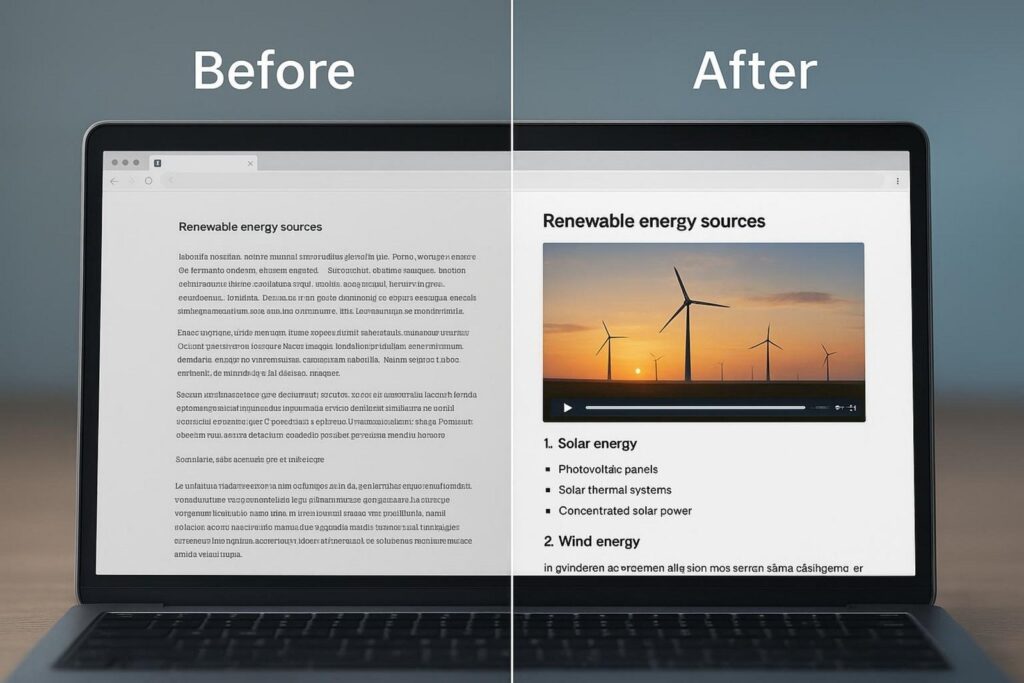
Break paragraphs, add clear headings (H1/H2/H3), and use bullet points or numbers. Highlight key points with bold or italics. Add a table of contents for long guides. These changes help users and make it easier for search engines to understand your page.
Include Relevant Images, Videos, and Multimedia
Text-only content can feel dry. Add images, videos, infographics, or charts to boost engagement and explain complex ideas. A short video can also bring traffic from YouTube or Google Videos.
Use high-quality, relevant visuals and optimize file size for speed. Add descriptive alt text for accessibility and a small SEO benefit. Interactive tools like quizzes or calculators can raise engagement and time on page.
Optimize Meta Titles and Descriptions
Your title and description act like billboards in search results. Make the title accurate, appealing, and include your main keyword. Keep it concise to avoid truncation.
Write clear descriptions that explain the value of the page and encourage clicks. A better title and description can lift CTR even if your position stays the same.
Address User Questions and Changing Search Intent
Great pages answer real questions. During a refresh, check that your content fully covers what users want today. Use “People Also Ask,” related searches, and forums to find additional questions.
Expand sections, add FAQs, or create new parts to cover these needs. A full answer improves usefulness and helps your page stand out in search results.
Repurpose Refreshed Content Across Channels
Don’t stop after updating a page. Repurpose the content to reach more people. Turn key points into social posts, graphics, or short videos. Use the post as a script for a podcast or YouTube video.
Send an email highlighting the updates and new takeaways. Sharing across channels drives more traffic to the refreshed article and increases ROI from one piece of work.
What Are the Best Practices for a Successful Content Refresh?
Running a strong refresh program takes more than tactics. Follow core practices that keep quality high, protect SEO, and show readers what changed. These habits prevent common mistakes and help you get better results.
If you follow these steps, every updated page will help your site’s health and performance while building trust with users and search engines.
Verify Accuracy and Cite Recent Sources
Accuracy drives trust. During a refresh, carefully check facts, figures, and claims. Replace old stats with current data. Link to recent, credible sources. This matters most in fast-moving fields. Citing fresh, trusted sources raises credibility and supports your E-E-A-T.
Maintain or Improve Quality and Depth
A refresh should keep or raise overall quality and depth. Don’t cut helpful info. Make the article more thorough and useful. Add sections, expand key points, and answer the full query. Search engines reward quality. A deeper, clearer article can beat your old version and outrank competitors.
Avoid Keyword Cannibalization and Duplication
As your library grows, you may create pages that target the same keyword. This can split authority and confuse search engines. During a refresh, audit for overlap. If several posts target the same term, merge them into one thorough, trusted page. Remove weaker duplicates and 301 redirect to the main page to keep link equity. Avoid duplicate content issues.
Document Changes for Performance Tracking
Be sure to record what you changed. Track the URL, refresh date, a summary of edits (new keywords, added sections, updated images), and any new publish date. This log helps you link updates to changes in traffic, rankings, and engagement so you can learn what works.
Communicate Updates to Users and Stakeholders
Be transparent. Add a clear “Last Updated” date or a short note like “Updated for [Year] with new data and tips.” For bigger refreshes, share the update on your blog, social channels, or email. This manages expectations and shows your commitment to current, useful content. Share results internally to show the value of ongoing updates.
How to Measure the Impact of Content Updates
Updating content pays off when you can measure the results. Without solid tracking, it’s hard to know what worked. Measuring impact proves ROI and helps you improve your plan over time.
Compare key metrics before and after the refresh to see clear gains. Turn your work into numbers you can act on.
Monitor Organic Traffic, Ranking Changes, and Engagement
After a refresh, and over time, watch these metrics:
- Organic Traffic: Track search traffic to the page. Look for an upward trend or a recovery. Use Google Analytics.
- Ranking Changes: Track rankings for target keywords. Did positions rise? Are you now ranking for new, relevant terms? Use Google Search Console.
- Engagement Metrics: Review:
- Bounce Rate: Lower is better; users found what they needed.
- Average Time on Page: More time suggests better content and structure.
- Pages Per Session: More internal clicks show stronger user flow.
Focus on terms moving from positions 11-20 to 1-10, as these moves often bring the biggest traffic lifts. Comparing metrics from before and after the update shows both quick wins and long-term trends. Neil Patel’s examples show big gains in clicks and rankings for some posts, while others needed more work due to changing interest in the topic.
Evaluate Improvements in Conversion and User Satisfaction
Traffic and rankings matter, but many pages exist to drive actions or help users:
- Conversion Rates: If your page has a CTA (sign-up, purchase, download), compare conversion rates before and after the update. Better content, clearer CTAs, and closer intent matching should lift conversions.
- User Feedback: Read comments, social mentions, and direct messages. Are users finding the update more helpful?
- Brand Perception: Consistent, current content improves how people see your brand. This supports loyalty over time.
Charlotte Tomlinson (Distinctly) recommends tracking rankings, organic traffic, engagement, and organic leads or conversions to see the full impact.
Refine Your Refresh Strategy Based on Observed Results
Content refresh is ongoing work. Use results to guide your next steps:
- Identify Winning Tactics: Note which changes (multimedia, added sections, specific keywords) delivered the best gains.
- Spot Ongoing Issues: If a page still lags, look deeper. Was the diagnosis off? Did intent shift again? Try another approach.
- Adjust Review Timing: If certain topics decay faster, check them more often. Let evergreen pieces wait longer.
- Allocate Resources: Put time and budget into updates that deliver the biggest wins.
Sebastian Dziubek (Fractional SEO Director) notes that content refresh is continuous work and is key for long-term SEO success. Keep measuring, learning, and updating to keep growth steady.
Frequently Asked Questions about Content Refreshing
Many teams have questions about how updates compare to new content, what to prioritize, and what to avoid. Clear answers help you build a strong plan and move forward with confidence.
Use the points below to place content updates within your broader SEO and content strategy.
Does Google prioritize updated content over new content?
Google gives some weight to “fresh” results, especially for queries where people want recent info (news, trends, reviews). An updated article can win over an older, unchanged one, even if the old one once performed well.
But it’s not a simple rule. Google also values high-quality pages that fully answer the query, no matter the date. A well-researched evergreen guide can still beat a new, shallow post. Updating tells search engines your site is active and current, which can help your visibility and authority-if the changes add real value.
Is it better to refresh or create new articles for SEO?
It depends on your goals, resources, and current content. Refreshing often costs less and can deliver faster results than writing from scratch because:
- Existing Authority: Older pages may already have backlinks and some traction. Updates build on that base.
- Efficiency: It usually takes less time to improve a solid draft than to create and promote a new one.
- Quick Wins: Pages near page one can jump with small updates.
Create new content when:
- New Topics Emerge: If a new trend, tool, or change isn’t covered on your site.
- New Initiatives: New products, services, or campaigns need dedicated pages.
- Filling Gaps: If competitor research shows real gaps you can’t fix by updating old pages.
The best plan is often a mix: refresh high-potential pages regularly and create new content to cover new topics and reach new users. For small teams, prioritizing refreshes can be an efficient SEO play.
What mistakes should you avoid when refreshing content?
Watch out for these common pitfalls:
- Leaving Outdated Information: Replace old facts, stats, and examples. Old info weakens trust.
- Keyword Stuffing: Don’t cram keywords. It hurts readability and can trigger penalties. Work them in naturally.
- Changing URLs Without Redirects: If you change a URL, always add a 301 redirect from old to new, or you risk broken links and lost traffic.
- Editing High Performers Without Cause: If a page is doing well, be cautious. Blake Smith (SEO Consultant) avoids big changes unless data shows a clear need.
- Ignoring Search Intent: Update with current user needs in mind. If it doesn’t answer what people want, it won’t rank.
- Not Tracking Results: Without measuring traffic, rankings, and engagement after the update, you won’t know what worked.
- Changing Dates Without Real Updates: Don’t change publish dates to fake freshness. Google warns against this. Only update dates after real, meaningful edits.