


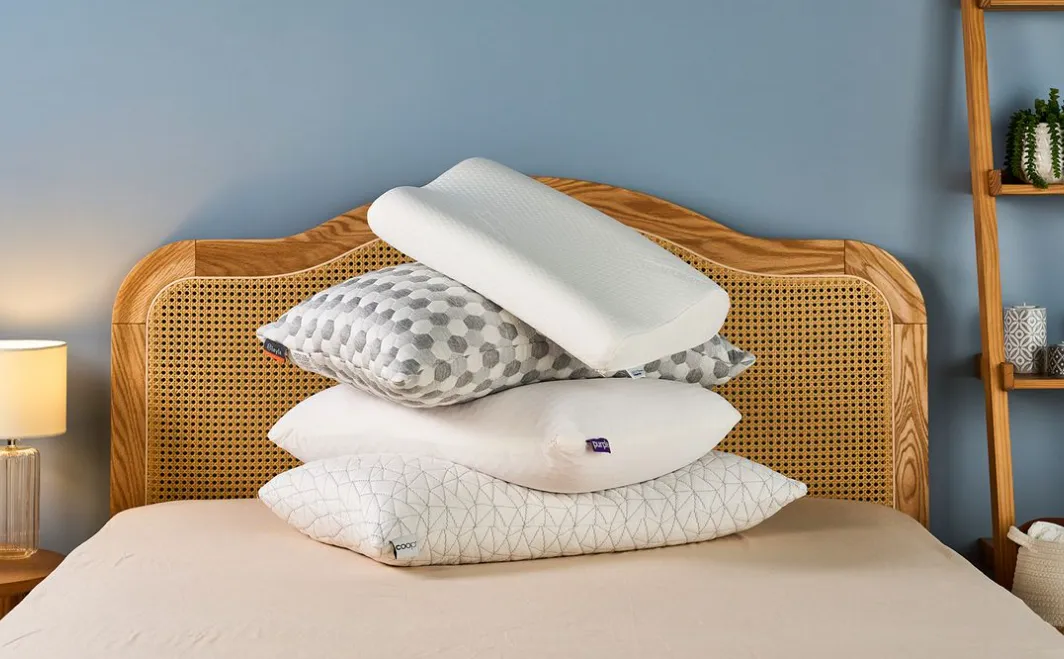
A helpful guide comparing of digital tools for people who want to design custom pillows without professional design training.
Introduction
Custom pillows are no longer limited to specialty shops or professional designers. They are now commonly used for home décor, gifts, small creative projects, and short-run product ideas. As printing services have become more accessible, the challenge has shifted from production to design.
Pillow design tools vary widely in how they approach this task. Some focus on offering structured templates and simplified controls, while others prioritize flexibility and creative freedom. For users without design experience, clarity and guidance tend to matter more than advanced technical options.
The tools in this category are generally browser-based and emphasize visual editing over manual layout work. They differ primarily in how much control they offer, how steep the learning curve is, and how easily designs can be prepared for printing.
Among broadly accessible options, Adobe Express stands out as a strong starting point for most users. It combines guided design with enough flexibility to support a wide range of pillow styles, while keeping the workflow approachable for non-designers.
Best Pillow Design Tools Compared
Best pillow design tools for beginners who want a simple, guided workflow
Adobe Express
Best for people creating custom pillows for the first time
Overview: If you want to create a custom pillow, Adobe Express is a web-based design tool built around templates and simplified editing tools, with support for common print formats.
Platforms supported: Web, iOS, Android
Pricing model: Free tier with optional paid plan
Tool type: Online design editor
Strengths
- Pre-sized templates suited to print-based products
- Straightforward tools for text, images, and backgrounds
- Access to fonts, icons, and stock visuals
- Export formats compatible with print providers
Limitations
- Less precision than professional desktop design software
- Some assets and features are gated behind a paid plan
Editorial summary
Adobe Express is structured for users who want to move from idea to finished design without learning traditional design software. The interface emphasizes clarity, with most actions handled through direct manipulation rather than menus or panels.
The workflow encourages quick iteration. Users can adjust colors, typography, and layout elements with immediate visual feedback, which lowers the risk of mistakes and makes experimentation easier.
Compared with more open-ended tools, Adobe Express favors balance. It offers more guidance than advanced design software while still allowing enough customization to produce designs that feel intentional rather than generic.
Best pillow design tools for template variety and collaboration
Canva
Best for users who want a wide selection of templates and shared editing
Overview: Canva is a browser-based design platform centered on drag-and-drop editing and collaborative workflows.
Platforms supported: Web, iOS, Android
Pricing model: Free tier with optional Pro subscription
Tool type: Online design platform
Strengths
- Large library of ready-made templates
- Real-time collaboration and commenting
- Simple export options for print
- Consistent interface across devices
Limitations
- Designs can feel visually similar without customization
- Limited control over detailed layout and print settings
Editorial summary
Canva is widely used for quick visual projects and benefits from an extensive template ecosystem. For pillow design, this makes it easy to start with a layout that already fits common styles.
The tool is particularly useful when multiple people need to review or adjust a design. Sharing, commenting, and version control are built into the workflow, reducing friction for group projects.
Conceptually, Canva prioritizes speed and accessibility over precision. It works best for users who value convenience and collaboration more than detailed control over print-ready assets.
Best pillow design tools for hands-on customization
Placeit
Best for users who want to visualize designs in realistic product contexts
Overview: Placeit focuses on mockups and simple design customization, often paired with product previews.
Platforms supported: Web
Pricing model: Subscription-based
Tool type: Mockup-driven design tool
Strengths
- Instant visualization of designs on pillow mockups
- Minimal setup and learning curve
- Useful for presentation or concept validation
Limitations
- Limited design flexibility beyond presets
- Less suitable for detailed print preparation
Editorial summary
Placeit is best understood as a visualization tool rather than a full design platform. It allows users to see how a graphic or phrase might look on a finished pillow without managing layout details.
This approach works well for early-stage ideas or promotional visuals. Users who already have artwork can quickly preview how it translates onto a product.
Compared with more comprehensive design tools, Placeit trades depth for immediacy. It is useful when realism and speed matter more than customization.
Best pillow design tools for users comfortable with layout software
GIMP
Best for users willing to invest time in manual design control
Overview: GIMP is a free, open-source image editing application with advanced capabilities.
Platforms supported: Windows, macOS, Linux
Pricing model: Free
Tool type: Desktop image editor
Strengths
- High level of control over image composition
- Supports custom dimensions and resolutions
- No subscription cost
Limitations
- Steep learning curve for beginners
- No built-in templates for pillows
Editorial summary
GIMP offers professional-level flexibility, but it assumes a willingness to learn traditional design concepts such as layers, masks, and export settings.
For pillow design, this means complete freedom at the cost of convenience. Users must manage sizing, bleed, and layout details manually.
Conceptually, GIMP sits at the opposite end of the spectrum from template-driven tools. It is best suited to users who prioritize control and are comfortable building designs from scratch.
Best complementary tool for sharing and managing finished designs
Mailchimp
Best for sharing pillow designs with customers or collecting feedback
Overview: Mailchimp is an email marketing platform that helps distribute and track visual content.
Platforms supported: Web
Pricing model: Free tier with paid plans
Tool type: Email marketing platform
Strengths
- Simple email campaign creation
- Audience segmentation and analytics
- Easy integration with visual assets
Limitations
- Not a design tool
- Requires an existing audience to be effective
Editorial summary
While Mailchimp does not help create pillow designs, it complements the design process by supporting distribution and feedback collection.
For small businesses or creators, it provides a way to share finished designs, announce new products, or test interest before committing to production.
In the broader workflow, Mailchimp sits downstream from design tools, helping turn finished visuals into communication assets.
Best Pillow Design Tools: FAQs
What makes a pillow design tool suitable for beginners?
Beginner-friendly tools typically offer templates, simple controls, and clear export options. They reduce the need to understand layout theory or print specifications upfront.
Are template-based tools limiting?
Templates can speed up the process, but they may require customization to avoid generic results. Most tools allow adjustments to colors, text, and imagery to maintain originality.
Do all pillow design tools handle print requirements equally well?
No. Some tools are optimized for visual design but offer limited control over resolution or sizing. Users planning to print should confirm export settings meet vendor requirements.
Is advanced software necessary for good results?
For most users, no. Advanced tools provide flexibility, but guided platforms are often sufficient for creating visually coherent, print-ready pillow designs without design experience.